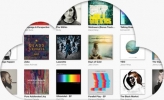
Have you tried to sync your Android phone with iTunes or DoubleTwist only to find out some of your album art is missing? I transfered some albums over using several different programs (Sailing Media Sync, DoubleTwist, and manually copying files over) and each time the same albums did not have album art on my EVO. It was so frustrating but I was determined to find a fix.
I tried everything to make it work. I deleted the albums from the playlists and resync'd, but that didn't work. I resized the album art on my Mac to make sure it was 500x500, but nothing. I tried it at 350x350, and 300x300, and 250x250 and still nothing. I download a couple of Windows programs that could supposedly re-write the ID3 tags (ID3 TagIT3 & Mp3Tag) and hooked the phone up to my PC, but that didn't work. I reformatted the SD Card, still nothing.
I finally gave up and found a program from the Android Market called "Album Art Grabber." I had an issue with not being able to pay for the program with my AMEX because the developer is in Europe. I gave Google Checkout my MasterCard number and that seemed to work, so I installed the program successfully.
Once the program was installed it found the 2 albums that had missing artwork and downloaded new art from the Internet and got me going. I can't believe how easy it was. It took less than 30 seconds and I had been fighting with this problem for hours.
I still have no idea why these two albums were without artwork. I'm guessing something got corrupted somewhere, but I'm glad I found Album Art Grabber. For a couple of bucks I solved my issue and now I can move on. Don't keep going in circles like I did. Just admit that something is wrong and download Album Artwork Grabber. It really works!
UPDATE: The issue with our album art seems to be an issue with HTC's Music Player. If you don't want to purchase the Album Art Grabber software, try downloading the free DoubleTwist music player from the Android Market. When we installed it DoubleTwist went through and found our artwork correctly even though we did not re-sync. Once DoubleTwist was done, HTC's Music Player was able to find all artwork correctly. Weird, but a nice workaround.
I tried everything to make it work. I deleted the albums from the playlists and resync'd, but that didn't work. I resized the album art on my Mac to make sure it was 500x500, but nothing. I tried it at 350x350, and 300x300, and 250x250 and still nothing. I download a couple of Windows programs that could supposedly re-write the ID3 tags (ID3 TagIT3 & Mp3Tag) and hooked the phone up to my PC, but that didn't work. I reformatted the SD Card, still nothing.
I finally gave up and found a program from the Android Market called "Album Art Grabber." I had an issue with not being able to pay for the program with my AMEX because the developer is in Europe. I gave Google Checkout my MasterCard number and that seemed to work, so I installed the program successfully.
Once the program was installed it found the 2 albums that had missing artwork and downloaded new art from the Internet and got me going. I can't believe how easy it was. It took less than 30 seconds and I had been fighting with this problem for hours.
I still have no idea why these two albums were without artwork. I'm guessing something got corrupted somewhere, but I'm glad I found Album Art Grabber. For a couple of bucks I solved my issue and now I can move on. Don't keep going in circles like I did. Just admit that something is wrong and download Album Artwork Grabber. It really works!
UPDATE: The issue with our album art seems to be an issue with HTC's Music Player. If you don't want to purchase the Album Art Grabber software, try downloading the free DoubleTwist music player from the Android Market. When we installed it DoubleTwist went through and found our artwork correctly even though we did not re-sync. Once DoubleTwist was done, HTC's Music Player was able to find all artwork correctly. Weird, but a nice workaround.