android Blast!
 

Android Blog, News, Accessories


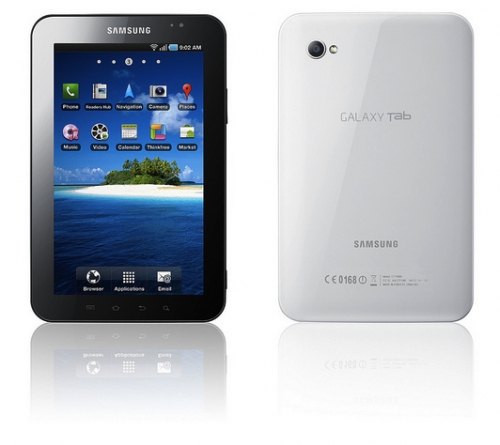
How to take screen captures on the Samsung Galaxy Tab

How To - By: pdaBlast! Staff - December 10, 2010

Unlike some Android phones you do not need an app to take screen captures on the Samsung Galaxy Tab. You also don't need to have a rooted device. Taking screen captures is easy.

  • Hold the back button and press the power button together.
  • You'll hear a shutter click which means your screen capture has been saved.
  • Look in the microSD card's ScreenCapture folder for the pic.

    That's it.


  • Email This | Print |
    |

    Related Stories
    Samsung releases Galaxy S III commercial in Europe
    Native Firefox for Android reaches beta status
    Sprint Galaxy Nexsus having connectivity issues
    Sprint rolling out Ice Cream Sandwich this year
    Google Cloud Print can print PDFs to Android 4.0


    blog comments powered by Disqus

    Accessory Deals
    Accessory Deals
    Batteries
    Batteries
    Battery Covers
    Battery Covers
    Bluetooth
    Bluetooth
    Books
    Books
    Car Kits
    Car Kits
    Card Readers
    Card Readers
    Cases
    Cases
    Chargers & Cables
    Chargers & Cables
    Cradles
    Cradles
    GPS Navigation
    GPS Navigation
    Headphones
    Headphones
    Headsets
    Headsets
    Keyboards
    Keyboards

    Software


    More Stories:


    BlackBerry has just 3 percent market share in the U.S.

    iPhone 5 to feature 4 inch display

    Forbes names Microsoft's Steve Ballmer worst CEO

    Feeding America charity leaves BlackBerry for Windows Phone

    Porsche designed BlackBerry wins Smartphone of the Year Award